概述
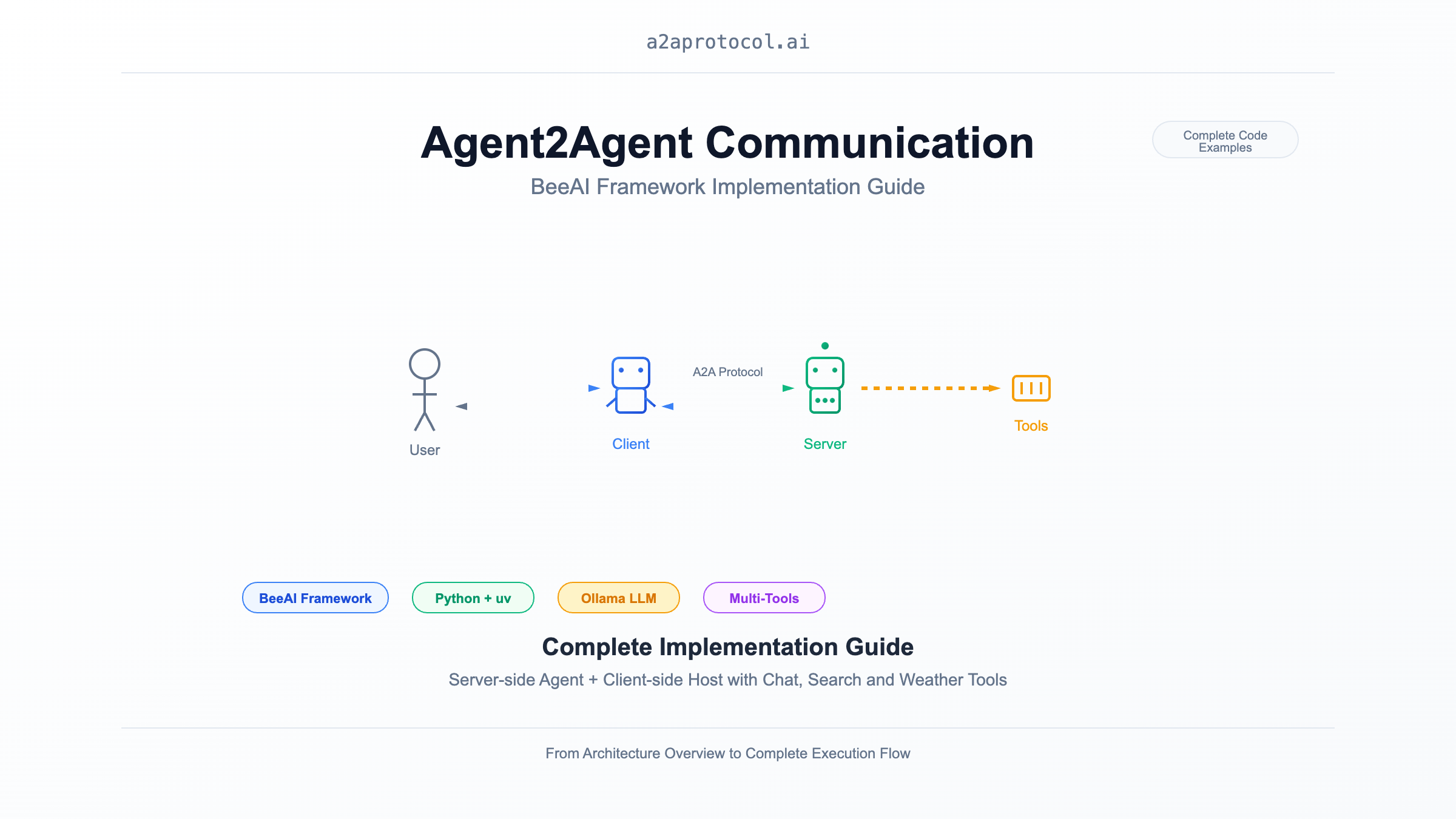
本文档展示如何使用 BeeAI 框架实现 Agent2Agent (A2A) 通信,包括服务端(Agent)和客户端(Host)的完整实现。该示例演示了一个具备网络搜索和天气查询功能的智能聊天代理。
架构概览
sequenceDiagram
    participant User as 用户
    participant Client as BeeAI Chat Client
    participant Server as BeeAI Chat Agent
    participant LLM as Ollama (granite3.3:8b)
    participant Tools as 工具集合

    User->>Client: 输入聊天消息
    Client->>Server: HTTP 请求 (A2A 协议)
    Server->>LLM: 处理用户请求
    LLM->>Tools: 调用工具 (搜索/天气等)
    Tools-->>LLM: 返回工具结果
    LLM-->>Server: 生成响应
    Server-->>Client: 返回 A2A 响应
    Client-->>User: 显示聊天结果
项目结构
samples/python/
├── agents/beeai-chat/          # A2A 服务端 (Agent)
│   ├── __main__.py            # 服务端主程序
│   ├── pyproject.toml         # 依赖配置
│   ├── Dockerfile             # 容器化配置
│   └── README.md              # 服务端文档
└── hosts/beeai-chat/           # A2A 客户端 (Host)
    ├── __main__.py            # 客户端主程序
    ├── console_reader.py      # 控制台交互接口
    ├── pyproject.toml         # 依赖配置
    ├── Dockerfile             # 容器化配置
    └── README.md              # 客户端文档
环境准备
系统要求
安装 uv
# macOS/Linux
curl -LsSf https://astral.sh/uv/install.sh | sh

# 或使用 pip
pip install uv
安装 Ollama 和模型
# 安装 Ollama
curl -fsSL https://ollama.com/install.sh | sh

# 拉取所需模型
ollama pull granite3.3:8b
A2A 服务端实现 (Agent)
核心实现分析
服务端使用 BeeAI 框架的 RequirementAgent 和 A2AServer 来提供智能代理服务:
def main() -> None:
    # 配置 LLM 模型
    llm = ChatModel.from_name(os.environ.get("BEEAI_MODEL", "ollama:granite3.3:8b"))

    # 创建代理,配置工具集
    agent = RequirementAgent(
        llm=llm,
        tools=[ThinkTool(), DuckDuckGoSearchTool(), OpenMeteoTool(), WikipediaTool()],
        memory=UnconstrainedMemory(),
    )

    # 启动 A2A 服务器
    A2AServer(
        config=A2AServerConfig(port=int(os.environ.get("A2A_PORT", 9999))),
        memory_manager=LRUMemoryManager(maxsize=100)
    ).register(agent).serve()
关键特性
- 工具集成: 支持思考、网络搜索、天气查询、维基百科查询
- 内存管理: 使用 LRU 缓存管理会话状态
- 环境配置: 支持通过环境变量配置模型和端口
使用 uv 运行服务端
git clone https://github.com/a2aproject/a2a-samples.git
# 进入服务端目录
cd samples/python/agents/beeai-chat

# 使用 uv 创建虚拟环境并安装依赖
uv venv
source .venv/bin/activate  # Linux/macOS
uv pip install -e .

# 特别注意
uv add "a2a-sdk[http-server]"

# 启动服务端
uv run python __main__.py
环境变量配置
export BEEAI_MODEL="ollama:granite3.3:8b"  # LLM 模型
export A2A_PORT="9999"                     # 服务端口
export OLLAMA_API_BASE="http://localhost:11434"  # Ollama API 地址
A2A 客户端实现 (Host)
核心实现分析
客户端使用 A2AAgent 与服务端通信,提供交互式控制台界面:
async def main() -> None:
    reader = ConsoleReader()

    # 创建 A2A 客户端
    agent = A2AAgent(
        url=os.environ.get("BEEAI_AGENT_URL", "http://127.0.0.1:9999"),
        memory=UnconstrainedMemory()
    )

    # 处理用户输入循环
    for prompt in reader:
        response = await agent.run(prompt).on(
            "update",
            lambda data, _: (reader.write("Agent 🤖 (debug) : ", data)),
        )
        reader.write("Agent 🤖 : ", response.result.text)
交互界面特性
- 实时调试: 显示代理处理过程的调试信息
- 优雅退出: 输入 'q' 退出程序
- 错误处理: 处理空输入和网络异常
使用 uv 运行客户端
# 进入客户端目录
cd samples/python/hosts/beeai-chat

# 使用 uv 创建虚拟环境并安装依赖
uv venv
source .venv/bin/activate  # Linux/macOS
uv pip install -e .

# 启动客户端
uv run python __main__.py
环境变量配置
export BEEAI_AGENT_URL="http://127.0.0.1:9999" # 服务端地址
完整运行流程
1. 启动服务端
# 终端 1: 启动 A2A 服务端
cd samples/python/agents/beeai-chat
uv venv && source .venv/bin/activate
uv pip install -e .
uv add "a2a-sdk[http-server]"
uv run python __main__.py
# 输出
INFO:     Started server process [73108]
INFO:     Waiting for application startup.
INFO:     Application startup complete.
INFO:     Uvicorn running on http://0.0.0.0:9999 (Press CTRL+C to quit)
2. 启动客户端
# 终端 2: 启动 A2A 客户端
cd samples/python/hosts/beeai-chat
uv venv && source .venv/bin/activate
uv pip install -e .
uv run python __main__.py
# 输出
Interactive session has started. To escape, input 'q' and submit.
User 👤 : what is the weather of new york today
Agent 🤖 (debug) :  value={'id': 'cb4059ebd3a44a2f8b428d83bbff8cac', 'jsonrpc': '2.0', 'result': {'contextId': 'b8a8d863-4c7d-48b7-9bdd-2848abccaae3', 'final': False, 'kind': 'status-update', 'status': {'state': 'submitted', 'timestamp': '2025-09-02T07:52:09.588387+00:00'}, 'taskId': '6e0fce64-51f0-4ad3-b0d5-c503b41bf63a'}}
Agent 🤖 (debug) :  value={'id': 'cb4059ebd3a44a2f8b428d83bbff8cac', 'jsonrpc': '2.0', 'result': {'contextId': 'b8a8d863-4c7d-48b7-9bdd-2848abccaae3', 'final': False, 'kind': 'status-update', 'status': {'state': 'working', 'timestamp': '2025-09-02T07:52:09.588564+00:00'}, 'taskId': '6e0fce64-51f0-4ad3-b0d5-c503b41bf63a'}}
Agent 🤖 (debug) :  value={'id': 'cb4059ebd3a44a2f8b428d83bbff8cac', 'jsonrpc': '2.0', 'result': {'contextId': 'b8a8d863-4c7d-48b7-9bdd-2848abccaae3', 'final': True, 'kind': 'status-update', 'status': {'message': {'contextId': 'b8a8d863-4c7d-48b7-9bdd-2848abccaae3', 'kind': 'message', 'messageId': '8dca470e-1665-41af-b0cf-6b47a1488f89', 'parts': [{'kind': 'text', 'text': 'The current weather in New York today is partly cloudy with a temperature of 16.2°C, 82% humidity, and a wind speed of 7 km/h.'}], 'role': 'agent', 'taskId': '6e0fce64-51f0-4ad3-b0d5-c503b41bf63a'}, 'state': 'completed', 'timestamp': '2025-09-02T07:52:39.928963+00:00'}, 'taskId': '6e0fce64-51f0-4ad3-b0d5-c503b41bf63a'}}
Agent 🤖 :  The current weather in New York today is partly cloudy with a temperature of 16.2°C, 82% humidity, and a wind speed of 7 km/h.
User 👤 :
3. 交互示例
Interactive session has started. To escape, input 'q' and submit.
User 👤 : 今天北京的天气怎么样?
Agent 🤖 (debug) : 正在查询北京天气信息...
Agent 🤖 : 根据最新的天气数据,北京今天多云,气温15-22°C,湿度65%,风速3m/s。

User 👤 : 搜索一下人工智能的最新发展
Agent 🤖 (debug) : 正在搜索人工智能相关信息...
Agent 🤖 : 根据搜索结果,人工智能领域最近的主要发展包括...

User 👤 : q
技术要点
依赖管理
两个项目都使用 pyproject.toml 管理依赖:
服务端依赖:
dependencies = [
    "beeai-framework[a2a,search] (>=0.1.36,<0.2.0)"
]
客户端依赖:
dependencies = [
    "beeai-framework[a2a] (>=0.1.36,<0.2.0)",
    "pydantic (>=2.10,<3.0.0)",
]
内存管理
- 服务端使用
LRUMemoryManager限制会话数量 - 客户端和服务端都使用
UnconstrainedMemory保持对话历史
工具集成
服务端集成了多种工具:
ThinkTool: 内部思考和推理DuckDuckGoSearchTool: 网络搜索OpenMeteoTool: 天气查询WikipediaTool: 维基百科查询
扩展和定制
添加新工具
from beeai_framework.tools.custom import CustomTool

agent = RequirementAgent(
    llm=llm,
    tools=[
        ThinkTool(),
        DuckDuckGoSearchTool(),
        OpenMeteoTool(),
        WikipediaTool(),
        CustomTool()  # 添加自定义工具
    ],
    memory=UnconstrainedMemory(),
)
自定义客户端界面
可以替换 ConsoleReader 实现 GUI 或 Web 界面:
class WebInterface:
    async def get_user_input(self):
        # 实现 Web 界面输入
        pass

    async def display_response(self, response):
        # 实现 Web 界面输出
        pass
总结
本实践文档展示了如何使用 BeeAI 框架和 uv 包管理器构建完整的 A2A 通信系统。通过服务端的智能代理和客户端的交互界面,实现了一个功能丰富的聊天机器人系统。该架构具有良好的可扩展性,可以轻松添加新的工具和功能。
更多A2A Protocol 示例
- A2A Multi-Agent Example: Number Guessing Game
- A2A MCP AG2 Intelligent Agent Example
- A2A + CrewAI + OpenRouter Chart Generation Agent Tutorial
- A2A JS Sample: Movie Agent
- A2A Python Sample: Github Agent
- A2A Sample: Travel Planner OpenRouter
- A2A Java Sample
- A2A Samples: Hello World Agent
- A2A Sample Methods and JSON Responses
- LlamaIndex File Chat Workflow with A2A Protocol
Related Articles
Explore more content related to this topic
Integrating A2A Protocol - Intelligent Agent Communication Solution for BeeAI Framework
Using A2A protocol instead of ACP is a better choice for BeeAI, reducing protocol fragmentation and improving ecosystem integration.
A2UI Introduction - Declarative UI Protocol for Agent-Driven Interfaces
Discover A2UI, the declarative UI protocol that enables AI agents to generate rich, interactive user interfaces. Learn how A2UI works, who it's for, how to use it, and see real-world examples from Google Opal, Gemini Enterprise, and Flutter GenUI SDK.
Agent Gateway Protocol (AGP): Practical Tutorial and Specification
Learn the Agent Gateway Protocol (AGP): what it is, problems it solves, core spec (capability announcements, intent payloads, routing and error codes), routing algorithm, and how to run a working simulation.
A2A vs ACP Protocol Comparison Analysis Report
A2A (Agent2Agent Protocol) and ACP (Agent Communication Protocol) represent two mainstream technical approaches in AI multi-agent system communication: 'cross-platform interoperability' and 'local/edge autonomy' respectively. A2A, with its powerful cross-vendor interconnection capabilities and rich task collaboration mechanisms, has become the preferred choice for cloud-based and distributed multi-agent scenarios; while ACP, with its low-latency, local-first, cloud-independent characteristics, is suitable for privacy-sensitive, bandwidth-constrained, or edge computing environments. Both protocols have their own focus in protocol design, ecosystem construction, and standardization governance, and are expected to further converge in openness in the future. Developers are advised to choose the most suitable protocol stack based on actual business needs.
Building an A2A Currency Agent with LangGraph
This guide provides a detailed explanation of how to build an A2A-compliant agent using LangGraph and the Google Gemini model. We'll walk through the Currency Agent example from the A2A Python SDK, explaining each component, the flow of data, and how the A2A protocol facilitates agent interactions.