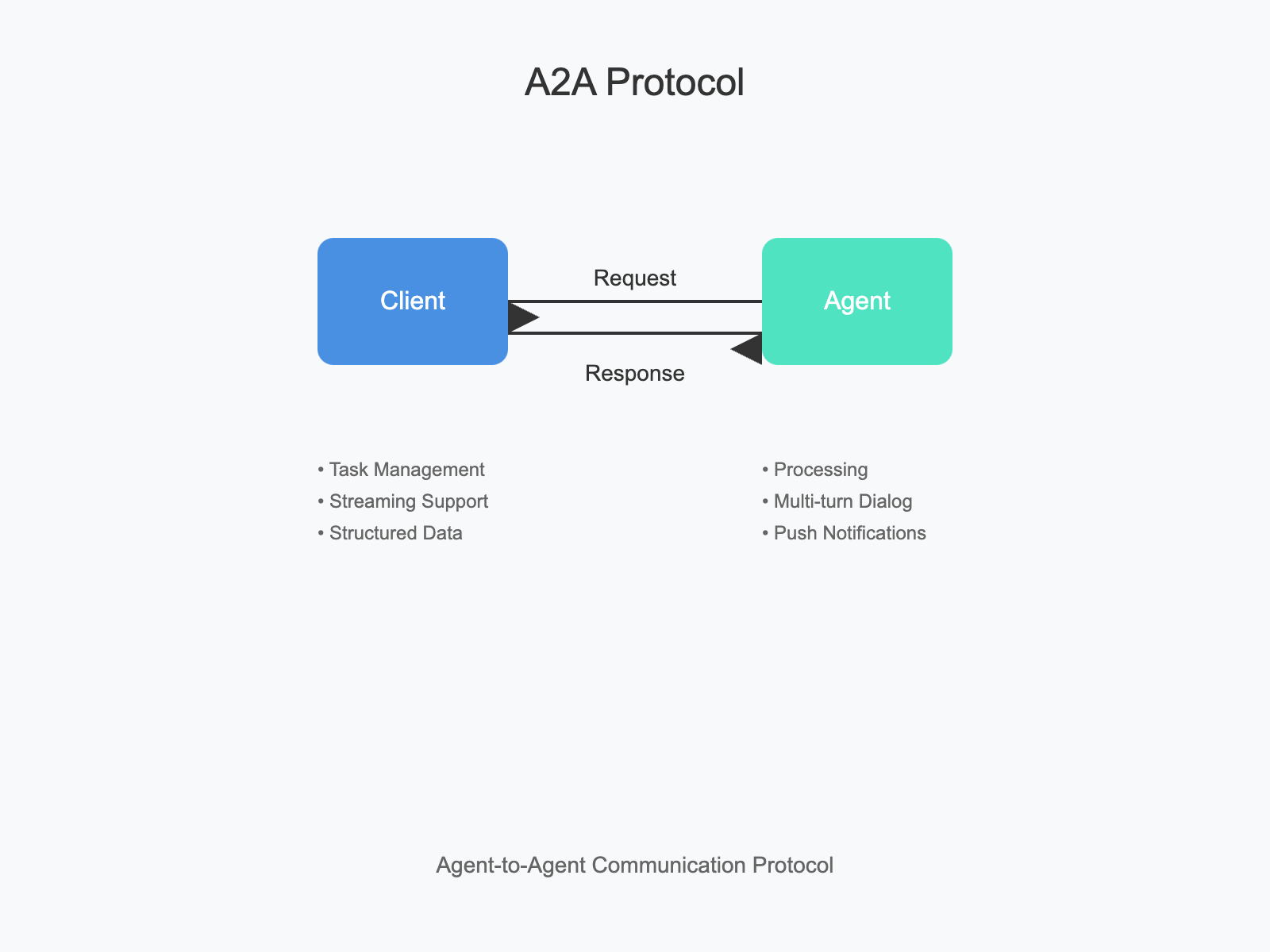
This section provides illustrative JSON examples of common A2A interactions. Timestamps, context IDs, and request/response IDs are for demonstration purposes. For brevity, some optional fields might be omitted if not central to the example.
1. Fetching Authenticated Extended Agent Card
Scenario: A client discovers a public Agent Card indicating support for an authenticated extended card and wants to retrieve the full details.
-
Client fetches the public Agent Card:
GET https://example.com/.well-known/agent.jsonServer responds with the public Agent Card (like the example in Section 5.6), including
supportsAuthenticatedExtendedCard: true(at the root level) andsecuritySchemes. -
Client identifies required authentication from the public card.
-
Client obtains necessary credentials out-of-band (e.g., performs OAuth 2.0 flow with Google, resulting in an access token).
-
Client fetches the authenticated extended Agent Card:
GET https://example.com/a2a/agent/authenticatedExtendedCard Authorization: Bearer <obtained_access_token> -
Server authenticates and authorizes the request.
-
Server responds with the full Agent Card:
2. Basic Execution (Synchronous / Polling Style)
2.1. Task-based Response
Scenario: Client asks a simple question, and the agent responds quickly with a task
-
Client sends a message using
message/send:{ "jsonrpc": "2.0", "id": 1, "method": "message/send", "params": { "message": { "role": "user", "parts": [ { "kind": "text", "text": "tell me a joke" } ], "messageId": "9229e770-767c-417b-a0b0-f0741243c589" }, "metadata": {} } } -
Server processes the request, creates a task and responds (task completes quickly)
{
  "jsonrpc": "2.0",
  "id": 1,
  "result": {
    "id": "363422be-b0f9-4692-a24d-278670e7c7f1",
    "contextId": "c295ea44-7543-4f78-b524-7a38915ad6e4",
    "status": {
      "state": "completed"
    },
    "artifacts": [
      {
        "artifactId": "9b6934dd-37e3-4eb1-8766-962efaab63a1",
        "name": "joke",
        "parts": [
          {
            "kind": "text",
            "text": "Why did the chicken cross the road? To get to the other side!"
          }
        ]
      }
    ],
    "history": [
      {
        "role": "user",
        "parts": [
          {
            "kind": "text",
            "text": "tell me a joke"
          }
        ],
        "messageId": "9229e770-767c-417b-a0b0-f0741243c589",
        "taskId": "363422be-b0f9-4692-a24d-278670e7c7f1",
        "contextId": "c295ea44-7543-4f78-b524-7a38915ad6e4"
      }
    ],
    "kind": "task",
    "metadata": {}
  }
}
2.2. Direct Message Response
Scenario: Client asks a simple question, and the agent responds quickly without a task
-
Client sends a message using
message/send:{ "jsonrpc": "2.0", "id": 1, "method": "message/send", "params": { "message": { "role": "user", "parts": [ { "kind": "text", "text": "tell me a joke" } ], "messageId": "9229e770-767c-417b-a0b0-f0741243c589" }, "metadata": {} } } -
Server processes the request, responds quickly without a task
{
  "jsonrpc": "2.0",
  "id": 1,
  "result": {
    "messageId": "363422be-b0f9-4692-a24d-278670e7c7f1",
    "contextId": "c295ea44-7543-4f78-b524-7a38915ad6e4",
    "parts": [
      {
        "kind": "text",
        "text": "Why did the chicken cross the road? To get to the other side!"
      }
    ],
    "kind": "message",
    "metadata": {}
  }
}
If the task were longer-running, the server might initially respond with status.state: "working". The client would then periodically call tasks/get with params: {"id": "363422be-b0f9-4692-a24d-278670e7c7f1"} until the task reaches a terminal state.
3. Streaming Task Execution (SSE)
Scenario: Client asks the agent to write a long paper describing an attached picture.
-
Client sends a message and subscribes using
message/stream:{ "method": "message/stream", "params": { "message": { "role": "user", "parts": [ { "kind": "text", "text": "write a long paper describing the attached pictures" }, { "kind": "file", "file": { "mimeType": "image/png", "data": "<base64-encoded-content>" } } ], "messageId": "bbb7dee1-cf5c-4683-8a6f-4114529da5eb" }, "metadata": {} } } -
Server responds with HTTP 200 OK,
Content-Type: text/event-stream, and starts sending SSE events:Event 1: Task status update - working
data: {
  "jsonrpc": "2.0",
  "id": 1,
  "result": {
    "id": "225d6247-06ba-4cda-a08b-33ae35c8dcfa",
    "contextId": "05217e44-7e9f-473e-ab4f-2c2dde50a2b1",
    "status": {
      "state": "submitted",
      "timestamp":"2025-04-02T16:59:25.331844"
    },
    "history": [
      {
        "role": "user",
        "parts": [
          {
            "kind": "text",
            "text": "write a long paper describing the attached pictures"
          },
          {
            "kind": "file",
            "file": {
              "mimeType": "image/png",
              "data": "<base64-encoded-content>"
            }
          }
        ],
        "messageId": "bbb7dee1-cf5c-4683-8a6f-4114529da5eb",
        "taskId": "225d6247-06ba-4cda-a08b-33ae35c8dcfa",
        "contextId": "05217e44-7e9f-473e-ab4f-2c2dde50a2b1"
      }
    ],
    "kind": "task",
    "metadata": {}
  }
}

data: {
  "jsonrpc": "2.0",
  "id": 1,
  "result": {
    "taskId": "225d6247-06ba-4cda-a08b-33ae35c8dcfa",
    "contextId": "05217e44-7e9f-473e-ab4f-2c2dde50a2b1",
    "artifact": {
      "artifactId": "9b6934dd-37e3-4eb1-8766-962efaab63a1",
      "parts": [
        {"type":"text", "text": "<section 1...>"}
      ]
    },
    "append": false,
    "lastChunk": false,
    "kind":"artifact-update"
  }
}

data: {
  "jsonrpc": "2.0",
  "id": 1,
  "result": {
    "taskId": "225d6247-06ba-4cda-a08b-33ae35c8dcfa",
    "contextId": "05217e44-7e9f-473e-ab4f-2c2dde50a2b1",
    "artifact": {
      "artifactId": "9b6934dd-37e3-4eb1-8766-962efaab63a1",
      "parts": [
        {"type":"text", "text": "<section 2...>"}
      ],
    },
    "append": true,
    "lastChunk": false,
    "kind":"artifact-update"
  }
}


data: {
  "jsonrpc": "2.0",
  "id": 1,
  "result": {
    "taskId": "225d6247-06ba-4cda-a08b-33ae35c8dcfa",
    "contextId": "05217e44-7e9f-473e-ab4f-2c2dde50a2b1",
    "artifact": {
      "artifactId": "9b6934dd-37e3-4eb1-8766-962efaab63a1",
      "parts": [
        {"type":"text", "text": "<section 3...>"}
      ]
    },
    "append": true,
    "lastChunk": true,
    "kind":"artifact-update"
  }
}

data: {
  "jsonrpc": "2.0",
  "id": 1,
  "result": {
    "taskId": "225d6247-06ba-4cda-a08b-33ae35c8dcfa",
    "contextId": "05217e44-7e9f-473e-ab4f-2c2dde50a2b1",
    "status": {
      "state": "completed",
      "timestamp":"2025-04-02T16:59:35.331844"
    },
    "final": true,
    "kind":"status-update"
  }
}
(Server closes the SSE connection after the
final:trueevent).
4. Multi-Turn Interaction (Input Required)
Scenario: Client wants to book a flight, and the agent needs more information.
-
Client sends a message using
message/send:{ "jsonrpc": "2.0", "id": "req-003", "method": "message/send", "params": { "message": { "role": "user", "parts": [{ "kind": "text", "text": "I'd like to book a flight." }] }, "messageId": "c53ba666-3f97-433c-a87b-6084276babe2" } } -
Server responds, task state is
input-required:{ "jsonrpc": "2.0", "id": "req-003", "result": { "id": "3f36680c-7f37-4a5f-945e-d78981fafd36", "contextId": "c295ea44-7543-4f78-b524-7a38915ad6e4", "status": { "state": "input-required", "message": { "role": "agent", "parts": [ { "kind": "text", "text": "Sure, I can help with that! Where would you like to fly to, and from where? Also, what are your preferred travel dates?" } ], "messageId": "c2e1b2dd-f200-4b04-bc22-1b0c65a1aad2", "taskId": "3f36680c-7f37-4a5f-945e-d78981fafd36", "contextId": "c295ea44-7543-4f78-b524-7a38915ad6e4" }, "timestamp": "2024-03-15T10:10:00Z" }, "history": [ { "role": "user", "parts": [ { "kind": "text", "text": "I'd like to book a flight." } ], "messageId": "c53ba666-3f97-433c-a87b-6084276babe2", "taskId": "3f36680c-7f37-4a5f-945e-d78981fafd36", "contextId": "c295ea44-7543-4f78-b524-7a38915ad6e4" } ], "kind": "task" } } -
Client
message/send(providing the requested input, using the same task ID):{ "jsonrpc": "2.0", "id": "req-004", "method": "message/send", "params": { "message": { "role": "user", "parts": [ { "kind": "text", "text": "I want to fly from New York (JFK) to London (LHR) around October 10th, returning October 17th." } ], "contextId": "c295ea44-7543-4f78-b524-7a38915ad6e4", "taskId": "3f36680c-7f37-4a5f-945e-d78981fafd36", "messageId": "0db1d6c4-3976-40ed-b9b8-0043ea7a03d3" }, "configuration": { "blocking": true } } } -
Server processes the new input and responds (e.g., task completed or more input needed):
{
  "jsonrpc": "2.0",
  "id": "req-004",
  "result": {
    "id": "3f36680c-7f37-4a5f-945e-d78981fafd36",
    "contextId": "c295ea44-7543-4f78-b524-7a38915ad6e4",
    "status": {
      "state": "completed",
      "message": {
        "role": "agent",
        "parts": [
          {
            "kind": "text",
            "text": "Okay, I've found a flight for you. Confirmation XYZ123. Details are in the artifact."
          }
        ]
      }
    },
    "artifacts": [
      {
        "artifactId": "9b6934dd-37e3-4eb1-8766-962efaab63a1",
        "name": "FlightItinerary.json",
        "parts": [
          {
            "kind": "data",
            "data": {
              "confirmationId": "XYZ123",
              "from": "JFK",
              "to": "LHR",
              "departure": "2024-10-10T18:00:00Z",
              "arrival": "2024-10-11T06:00:00Z",
              "returnDeparture": "..."
            }
          }
        ]
      }
    ],
    "history": [
      {
        "role": "user",
        "parts": [
          {
            "kind": "text",
            "text": "I'd like to book a flight."
          }
        ],
        "messageId": "c53ba666-3f97-433c-a87b-6084276babe2",
        "taskId": "3f36680c-7f37-4a5f-945e-d78981fafd36",
        "contextId": "c295ea44-7543-4f78-b524-7a38915ad6e4"
      },
      {
        "role": "agent",
        "parts": [
          {
            "kind": "text",
            "text": "Sure, I can help with that! Where would you like to fly to, and from where? Also, what are your preferred travel dates?"
          }
        ],
        "messageId": "c2e1b2dd-f200-4b04-bc22-1b0c65a1aad2",
        "taskId": "3f36680c-7f37-4a5f-945e-d78981fafd36",
        "contextId": "c295ea44-7543-4f78-b524-7a38915ad6e4"
      },
      {
        "role": "user",
        "parts": [
          {
            "kind": "text",
            "text": "I want to fly from New York (JFK) to London (LHR) around October 10th, returning October 17th."
          }
        ],
        "contextId": "c295ea44-7543-4f78-b524-7a38915ad6e4",
        "taskId": "3f36680c-7f37-4a5f-945e-d78981fafd36",
        "messageId": "0db1d6c4-3976-40ed-b9b8-0043ea7a03d3"
      }
    ],
    "kind": "task",
    "metadata": {}
  }
}
5. Push Notification Setup and Usage
5.1. Webhook Configuration and Notification Flow
Scenario: Client requests a long-running report generation and wants to be notified via webhook when it's done.
-
Client
message/sendwithpushNotificationconfig:{ "jsonrpc": "2.0", "id": "req-005", "method": "message/send", "params": { "message": { "role": "user", "parts": [ { "kind": "text", "text": "Generate the Q1 sales report. This usually takes a while. Notify me when it's ready." } ], "messageId": "6dbc13b5-bd57-4c2b-b503-24e381b6c8d6" }, "configuration": { "pushNotificationConfig": { "url": "https://client.example.com/webhook/a2a-notifications", "token": "secure-client-token-for-task-aaa", "authentication": { "schemes": ["Bearer"] // Assuming server knows how to get a Bearer token for this webhook audience, // or this implies the webhook is public/uses the 'token' for auth. // 'credentials' could provide more specifics if needed by the server. } } } } } -
Server acknowledges the task (e.g., status
submittedorworking):{ "jsonrpc": "2.0", "id": "req-005", "result": { "id": "43667960-d455-4453-b0cf-1bae4955270d", "contextId": "c295ea44-7543-4f78-b524-7a38915ad6e4", "status": { "state": "submitted", "timestamp": "2024-03-15T11:00:00Z" } // ... other fields ... } } -
(Later) A2A Server completes the task and POSTs a notification to
https://client.example.com/webhook/a2a-notifications:- HTTP Headers might include:
Authorization: Bearer <server_jwt_for_webhook_audience>(if server authenticates to webhook)Content-Type: application/jsonX-A2A-Notification-Token: secure-client-token-for-task-aaa
- HTTP Body (Task object is sent as JSON payload):
{ "id": "43667960-d455-4453-b0cf-1bae4955270d", "contextId": "c295ea44-7543-4f78-b524-7a38915ad6e4", "status": { "state": "completed", "timestamp": "2024-03-15T18:30:00Z" }, "kind": "task" // ... other fields ... } - HTTP Headers might include:
-
Client's Webhook Service:
- Receives the POST.
- Validates the
Authorizationheader (if applicable). - Validates the
X-A2A-Notification-Token. - Internally processes the notification (e.g., updates application state, notifies end user).
6. File Exchange (Upload and Download)
6.1. Image Processing Workflow
Scenario: Client sends an image for analysis, and the agent returns a modified image.
-
Client
message/sendwith aFilePart(uploading image bytes):{ "jsonrpc": "2.0", "id": "req-007", "method": "message/send", "params": { "message": { "role": "user", "parts": [ { "kind": "text", "text": "Analyze this image and highlight any faces." }, { "kind": "file", "file": { "name": "input_image.png", "mimeType": "image/png", "bytes": "iVBORw0KGgoAAAANSUhEUgAAAAUA..." // Base64 encoded image data } } ], "messageId": "6dbc13b5-bd57-4c2b-b503-24e381b6c8d6" } } } -
Server processes the image and responds with a
FilePartin an artifact (e.g., providing a URI to the modified image):{ "jsonrpc": "2.0", "id": "req-007", "result": { "id": "43667960-d455-4453-b0cf-1bae4955270d", "contextId": "c295ea44-7543-4f78-b524-7a38915ad6e4", "status": { "state": "completed", "timestamp": "2024-03-15T12:05:00Z" }, "artifacts": [ { "artifactId": "9b6934dd-37e3-4eb1-8766-962efaab63a1", "name": "processed_image_with_faces.png", "parts": [ { "kind": "file", "file": { "name": "output.png", "mimeType": "image/png", // Server might provide a URI to a temporary storage location "uri": "https://storage.example.com/processed/task-bbb/output.png?token=xyz" // Or, alternatively, it could return bytes directly: // "bytes": "ASEDGhw0KGgoAAAANSUhEUgAA..." } } ] } ], "kind": "task" } }
7. Structured Data Exchange (Requesting and Providing JSON)
7.1. Schema-based Data Request
Scenario: Client asks for a list of open support tickets in a specific JSON format.
-
Client
message/send,Part.metadatahints at desired output schema/Media Type: (Note: A2A doesn't formally standardize schema negotiation in v0.2.0, butmetadatacan be used for such hints by convention between client/server).{ "jsonrpc": "2.0", "id": 9, "method": "message/send", "params": { "message": { "role": "user", "parts": [ { "kind": "text", "text": "Show me a list of my open IT tickets", "metadata": { "mimeType": "application/json", "schema": { "type": "array", "items": { "type": "object", "properties": { "ticketNumber": { "type": "string" }, "description": { "type": "string" } } } } } } ], "messageId": "85b26db5-ffbb-4278-a5da-a7b09dea1b47" }, "metadata": {} } } -
Server responds with structured JSON data:
{
  "jsonrpc": "2.0",
  "id": 9,
  "result": {
    "id": "d8c6243f-5f7a-4f6f-821d-957ce51e856c",
    "contextId": "c295ea44-7543-4f78-b524-7a38915ad6e4",
    "status": {
      "state": "completed",
      "timestamp": "2025-04-17T17:47:09.680794"
    },
    "artifacts": [
      {
        "artifactId": "c5e0382f-b57f-4da7-87d8-b85171fad17c",
        "parts": [
          {
            "kind": "text",
            "text": "[{\"ticketNumber\":\"REQ12312\",\"description\":\"request for VPN access\"},{\"ticketNumber\":\"REQ23422\",\"description\":\"Add to DL - team-gcp-onboarding\"}]"
          }
        ]
      }
    ],
    "kind": "task"
  }
}
8. Summary
These examples illustrate the flexibility of A2A in handling various interaction patterns and data types. The workflows covered include:
- Authentication: Fetching authenticated extended agent cards
- Execution Patterns: Synchronous, asynchronous, and streaming task execution
- Interaction Models: Single-turn and multi-turn conversations
- Notification Systems: Push notifications via webhooks
- Data Exchange: File uploads/downloads and structured JSON data
Implementers should refer to the detailed object definitions for all fields and constraints when implementing these workflows.
Related Articles
- Understanding A2A Protocol: A Comprehensive Guide
- A2A vs MCP: The Protocol Revolution in AI Architecture
- Building an A2A Currency Agent with LangGraph
- Python A2A Tutorial with Source Code
- A2A Typescript Guide
- AI Protocols Analysis Report: A2A, MCP and ACP
Go A2A
Related Articles
Explore more content related to this topic
A2UI Introduction - Declarative UI Protocol for Agent-Driven Interfaces
Discover A2UI, the declarative UI protocol that enables AI agents to generate rich, interactive user interfaces. Learn how A2UI works, who it's for, how to use it, and see real-world examples from Google Opal, Gemini Enterprise, and Flutter GenUI SDK.
Agent Gateway Protocol (AGP): Practical Tutorial and Specification
Learn the Agent Gateway Protocol (AGP): what it is, problems it solves, core spec (capability announcements, intent payloads, routing and error codes), routing algorithm, and how to run a working simulation.
Integrating A2A Protocol - Intelligent Agent Communication Solution for BeeAI Framework
Using A2A protocol instead of ACP is a better choice for BeeAI, reducing protocol fragmentation and improving ecosystem integration.
A2A vs ACP Protocol Comparison Analysis Report
A2A (Agent2Agent Protocol) and ACP (Agent Communication Protocol) represent two mainstream technical approaches in AI multi-agent system communication: 'cross-platform interoperability' and 'local/edge autonomy' respectively. A2A, with its powerful cross-vendor interconnection capabilities and rich task collaboration mechanisms, has become the preferred choice for cloud-based and distributed multi-agent scenarios; while ACP, with its low-latency, local-first, cloud-independent characteristics, is suitable for privacy-sensitive, bandwidth-constrained, or edge computing environments. Both protocols have their own focus in protocol design, ecosystem construction, and standardization governance, and are expected to further converge in openness in the future. Developers are advised to choose the most suitable protocol stack based on actual business needs.
Building an A2A Currency Agent with LangGraph
This guide provides a detailed explanation of how to build an A2A-compliant agent using LangGraph and the Google Gemini model. We'll walk through the Currency Agent example from the A2A Python SDK, explaining each component, the flow of data, and how the A2A protocol facilitates agent interactions.